Student Intervention
Create a Student Intervention
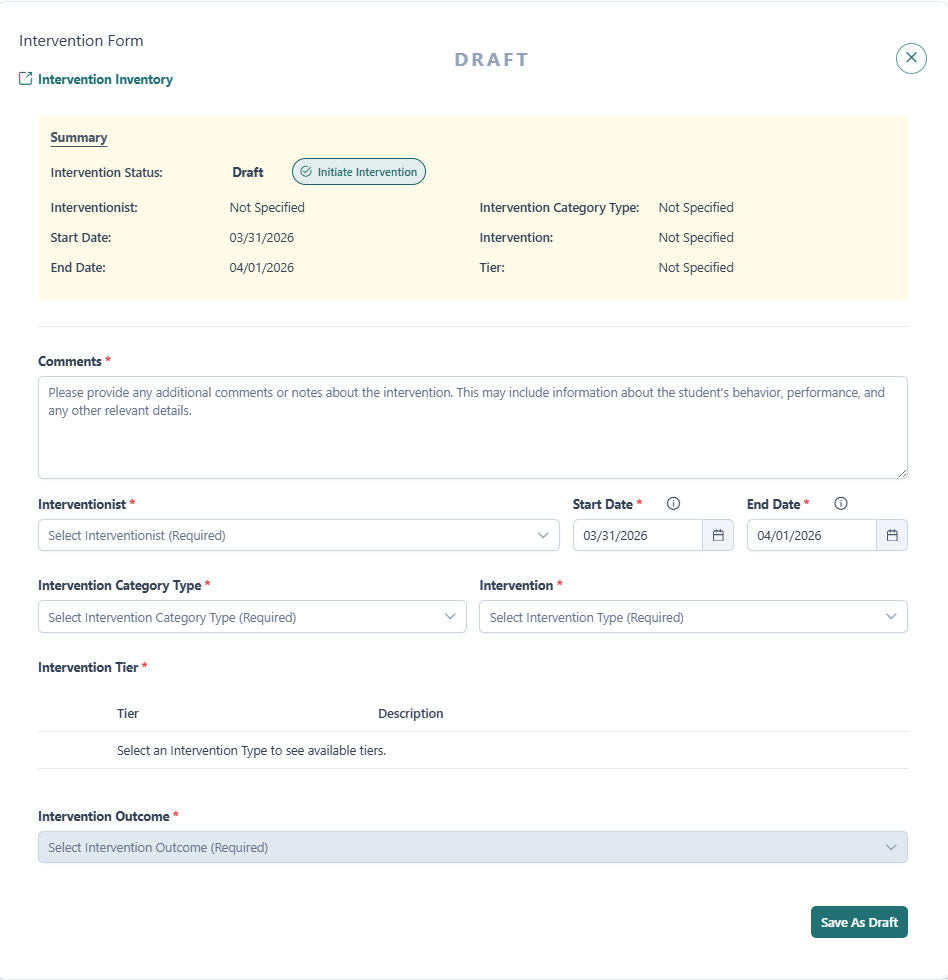
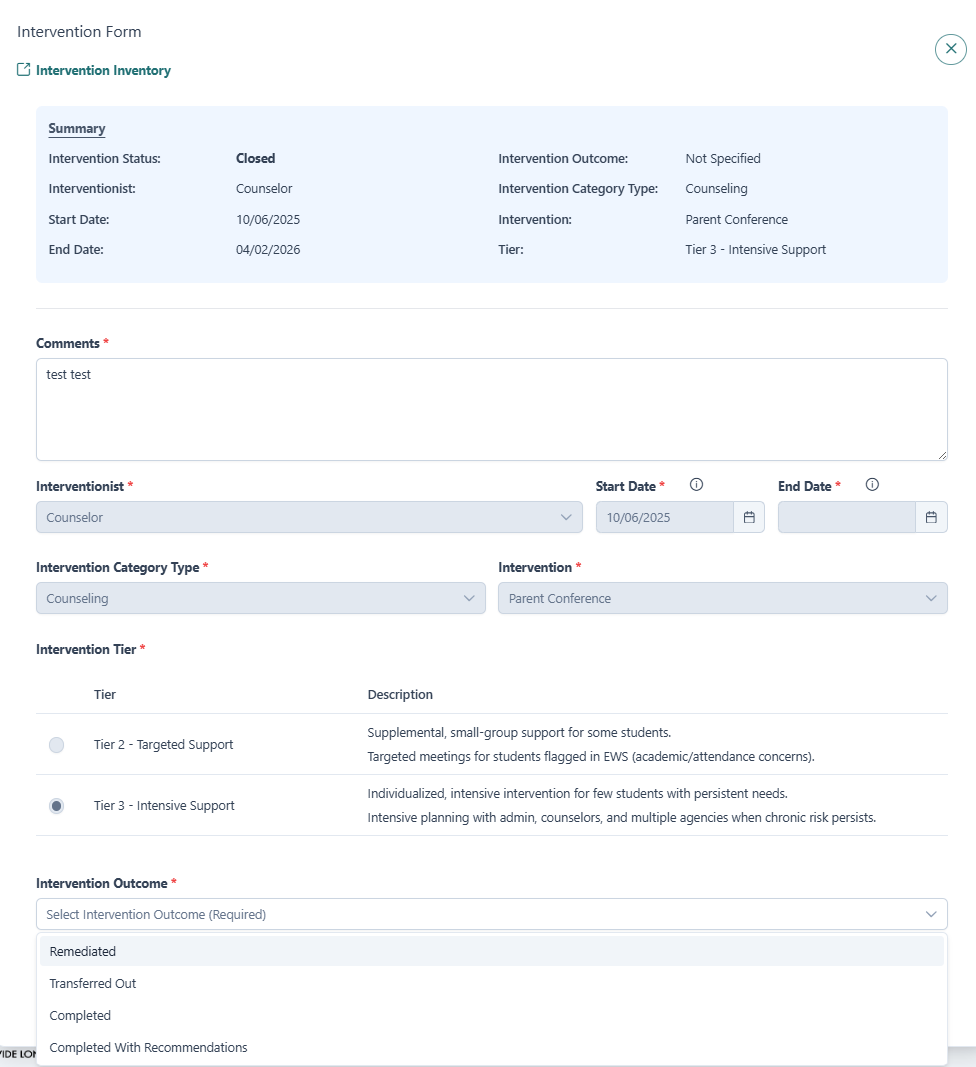
The following image shows the Intervention Form. All fields within the form are required and marked with an asterisk (*). Please note that the Intervention Outcome field is grayed out until an intervention is in Closed Status.
All Interventions begin in Draft Status. While in Draft, all fields (except Intervention Outcome) can be edited. The intervention may also be deleted if it is no longer needed or was created in error.
Comments are required in any Status, but may be added or edited at any time.
The dropdown menu for the Interventionist provides a list of staff roles to assign a member to monitor the intervention.
The Start Date and End Date must be within 90 days of each other (dates outside the 90 day range are grayed out). Both date fields are auto populated. Please adjust accordingly.
The End Date must be within the current School Year.
The Intervention Type dropdown menu provides a list of pre-loaded interventions to assign to a student. To enter more than one intervention type, complete and submit a separate Student Intervention. The Intervention Inventory link is provided at the top left of the form as a guide in selecting the right intervention and intervention tier for the student.
Once all required information has been entered and the intervention is ready to be put into action, click Initiate Intervention in the Summary area. This action will:
- Move the intervention out of Draft Status
- Automatically assign a status of New, Active, or Closed based on the selected Start and End Dates
- Lock key fields to prevent further edits
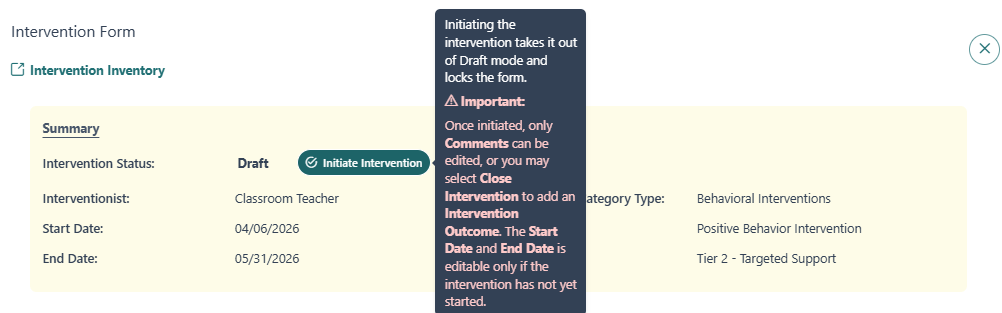
The following fields become locked after initiating the intervention:
- Interventionist
- Start Date and End Date (unless Start Date is future dated/Intervention is in New Status)
- Intervention Category Type
- Intervention Type
- Intervention Subtype (if available)
- Intervention Tier.
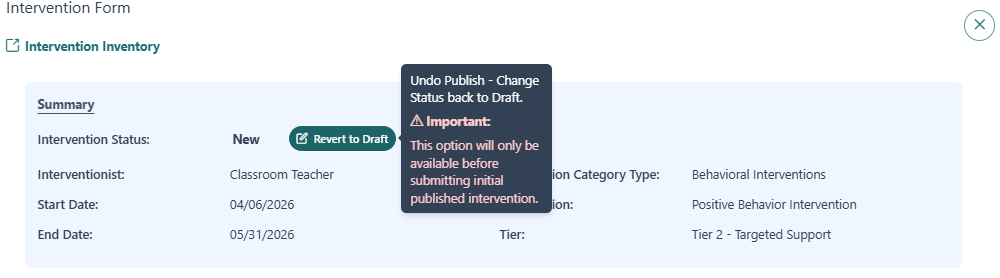
If Initiate Intervention is selected but the intervention has not been Submitted, clicking Revert Draft in the Summary area will open the intervention up for continued editing. This option is not available after the intervention has been Initiated and Submitted.
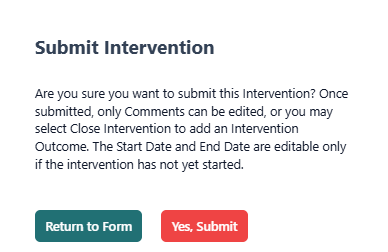
Selecting Submit (or Save as Draft depending on the intervention status) will save the intervention and display it in the student's intervention list.
A confirmation message will display before submission, informing that initiating the intervention will lock all fields except for Comments.
Edit a Student Intervention
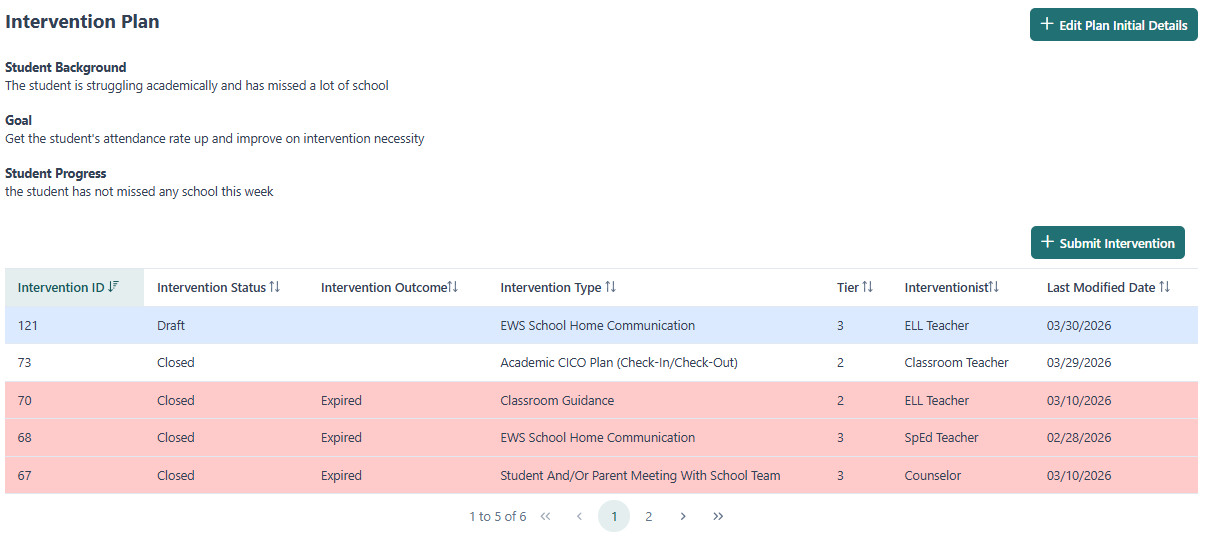
To edit a Student Intervention, navigate to the student's dashboard and locate the intervention record in the table. Selecting a record will open the Intervention Form.
Editing capabilities depend on the current status of the intervention:
-
Draft Status
- All fields are editable
-
New Status
- Start Date, End Date and Comments may still be edited
- All other fields are locked
-
Active or Closed Status
- Only Comments may be added or edited
- All other fields are locked
Closing a Student Intervention
An intervention is automatically moved to Closed Status when the End Date is reached. The intervention will display as Closed with an Intervention Outcome of 'Expired' in the intervention table. Click on the intervention to add an Intervention Outcome. Comments may also be added. All other fields will be locked.
An intervention in New or Active Status may also be closed manually.
When closing an intervention:
- Click Close Intervention within the Summary area of the form
- The End Date will automatically update to today's date (if using the Close Intervention button)
- An Intervention Outcome is required
- Comments may be added, but no other fields can be edited
Selecting Submit will save the changes.
If additional support is needed after closing an intervention, a new intervention should be created. Select the Intervention Outcome - Completed with recommendations - and include details in the comments.
Closed Intervention Outcomes
| Intervention Outcome Type | Description |
|---|---|
| Remediated | The issue was resolved by taking corrective actions to address the underlying problem |
| Transferred Out | The issue was handed over to another interventionist that is better suited to handle it |
| Completed | The planned intervention or task was completed as intended, with all objectives met |
| Completed with recommendations | The issue was closed with specific recommendations for future actions or improvements |
Best Practice
When creating an intervention:
- Collaborate with appropriate staff to plan the intervention
- Determine the Start Date, End Date, and appropriate Interventionist and Intervention Type
- Enter all required information while in Draft Status
- Initiate the intervention once details are finalized
If the intervention does not go as planned:
- Add comments explaining the outcome
- Select Completed with recommendations
- Create a new intervention if additional support is needed
This approach provides a clear and accurate record of intervention effectiveness over time.