Teacher Dashboard
The Teacher Dashboard provides a high level perspective of EWS indicators organized for viewing and analysis by the teacher for the students they teach. The initial Teacher View is a complete Student Roster for every course they teach and school they teach at. Selecting a student in the Student Roster opens the student's profile.
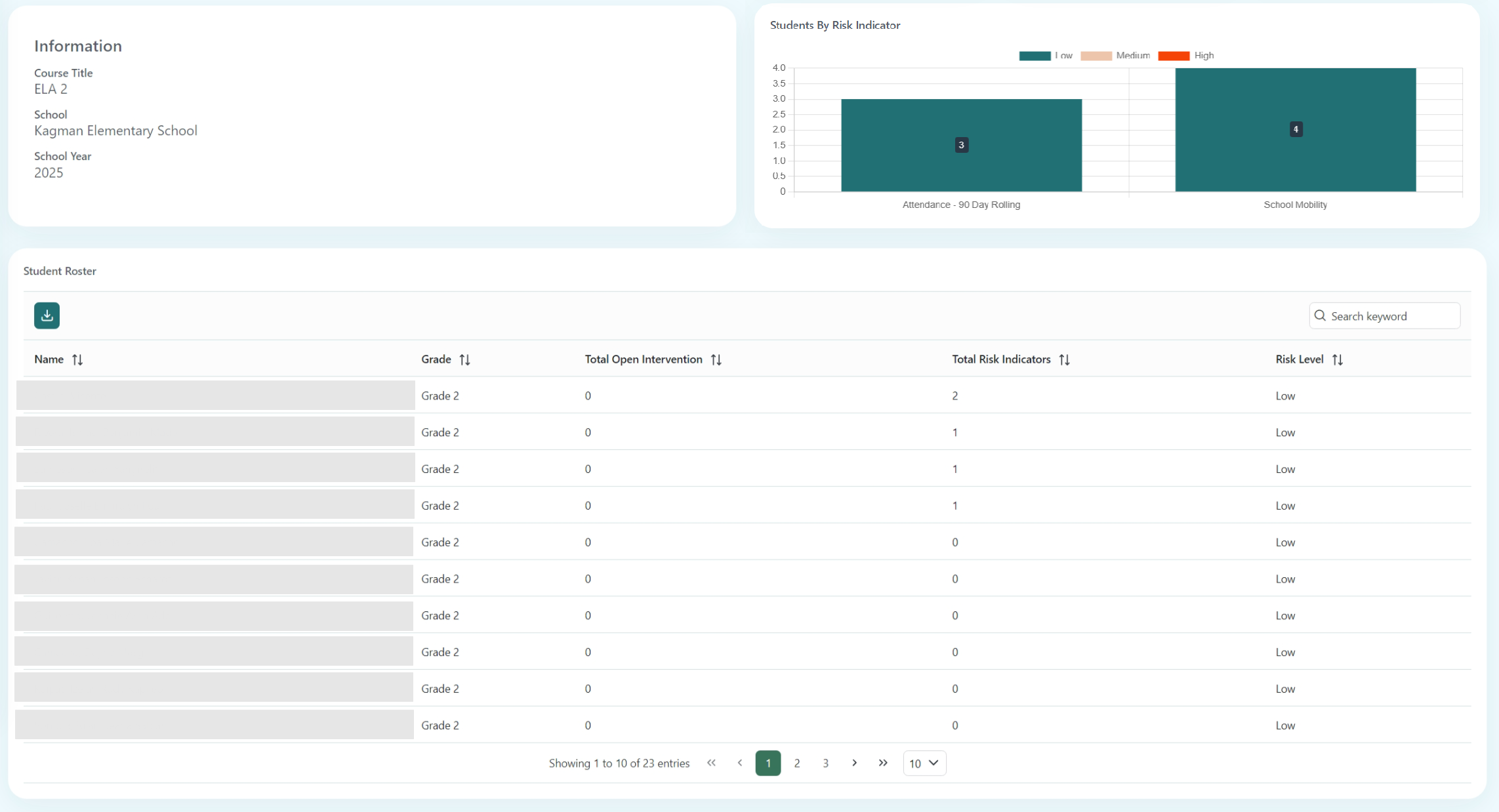
Use the menu to choose the desired school (if applicable) and course to view. Selecting a course displays the Course Information, Students by Risk Indicator, and the course's Student Roster.
Course Information
The Course Information will provide the specific course's student roster, including the following fields: Name, Grade, Total Open Interventions, Total Risk Indicators, and Risk Level. All fields are sortable and can be searched using the Search Keyword text field.